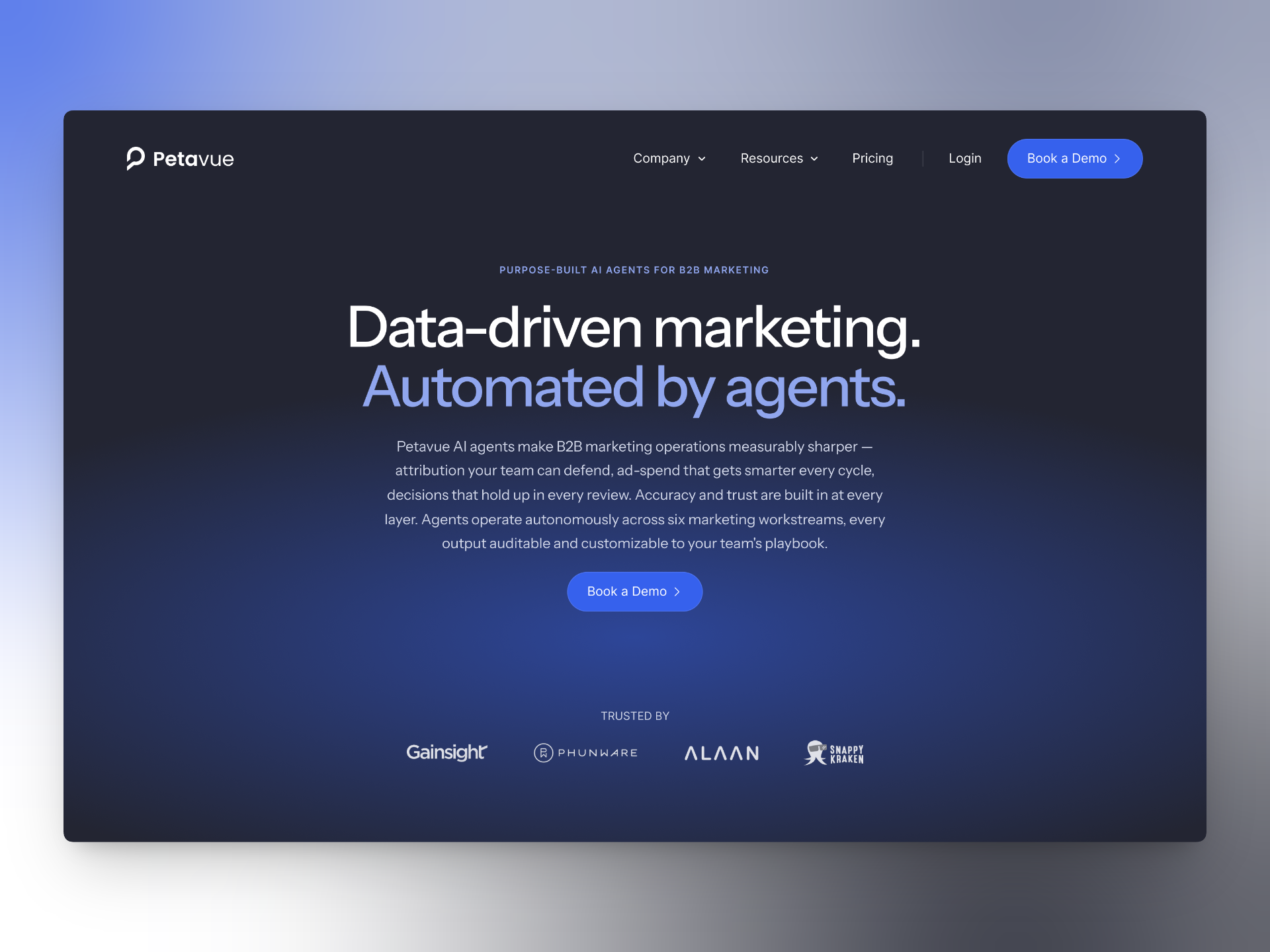
Our company website ran on Webflow for over a year. At the time, we needed to move fast, publish content without engineering support, and experiment with messaging. Webflow did all of that well.
The site grew. We started publishing SEO content regularly, expanding product pages, and refining the experience. At some point, we stopped treating the website like a marketing site and started treating it like a product. That shift exposed problems we hadn’t anticipated.
Where Our Needs Started to Diverge
Webflow is genuinely good at what it’s built for. The friction was on our side: we were asking the site to do things that sat outside the visual-builder model.
Filtering and search were the first signals. Solutions exist in the Webflow ecosystem — tools like Finsweet — but we kept reaching for add-ons to extend the platform. Video had a similar shape: the simplest path was to host on YouTube as unlisted and embed it back, which worked but added an external dependency for content we wanted to own.
None of these were dealbreakers individually. What they pointed to was a question of fit: our site had grown into something that wanted to behave more like a product than a marketing site, and the gravity of the platform meant every change had to route through someone who knew Webflow well.
Why AI Made Code Viable for a Designer
I’m a product designer. For most of my career, code was something I understood at a surface level. Enough HTML and CSS to read what was happening, not enough to build production pages. Webflow existed precisely so people like me didn’t have to.
That math changed when I started working with Claude Code earlier this year. Around the same time, Figma MCP created a usable bridge between design files and code. For the first time, I could describe layout, structure, and behavior in plain language and get working output back. I still needed to refine everything, but the baseline was solid enough to iterate on.
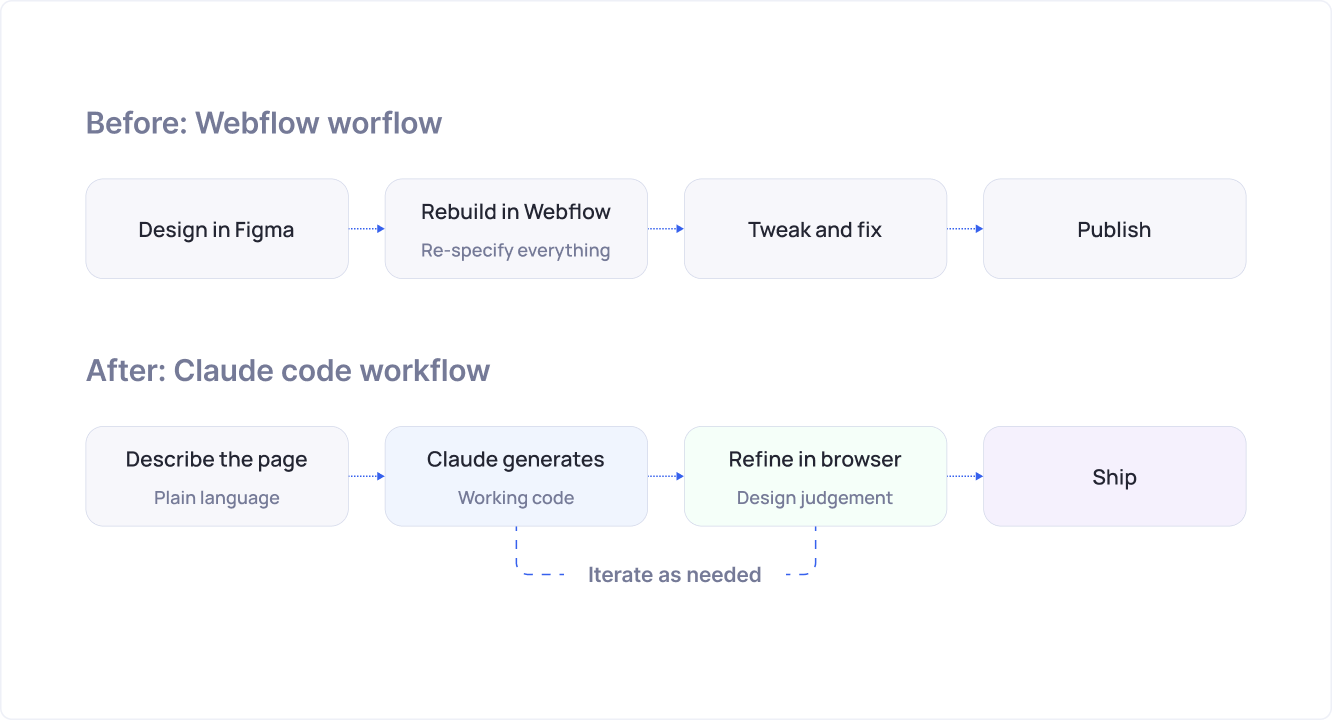
After a few weeks of building this way, I realized I hadn’t opened Webflow once — not because anything was wrong with it, but because the bridge that originally made Webflow the right call for a designer had quietly been built somewhere else.
Rebuilding the Foundation First
I didn’t start by migrating pages. I started by building the design system.
Colors became CSS variables. Typography got standardized into a consistent scale. Spacing moved to reusable tokens instead of one-off values per page. I created shared layout primitives: containers, spacing utilities, reusable components.
This was invisible work, but it made everything that followed dramatically faster. Once the system existed, building pages felt like assembly rather than recreation.
Running Two Platforms Side by Side
One thing I underestimated: we weren’t migrating everything at once. The new homepage ran on the new codebase while other pages stayed in Webflow. Both had to feel identical to visitors.
Technically, this was straightforward. As a design problem, it consumed me. Typography, spacing, navigation, footers, button styles, responsive behavior. All of it had to match across platforms. A visitor clicking from a new page to an old one shouldn’t notice anything.
The most satisfying part of the whole project was making that seam invisible.
How Figma and Claude Worked Together
The first migration phase went smoothly because the designs already existed in Figma. I wasn’t designing from scratch. I was translating.
Figma MCP made that translation much faster. Instead of describing every design detail manually, Claude could read the Figma file directly and understand the typography, spacing, hierarchy, and component relationships. My conversations shifted from “the heading is 32px bold with 48px line height” to “the spacing between these two sections feels too tight in the browser.”
Complex layouts still needed manual adjustments, and generated code always needed cleanup. But the tedious pixel-specification work, the part that makes design-to-code handoff painful, mostly disappeared.
When Claude Became the Starting Point
After the migration was done and the design system was in place, the workflow flipped. I had a library of components, tokens, and patterns. Creating a new page no longer required a Figma file first.
I’d start in Claude. Describe the goal of a page, reference existing components, sometimes attach screenshots from Mobbin or Dribbble for visual direction. For bigger explorations, I’d move the generated output into Figma, adjust it, and send refinements back.
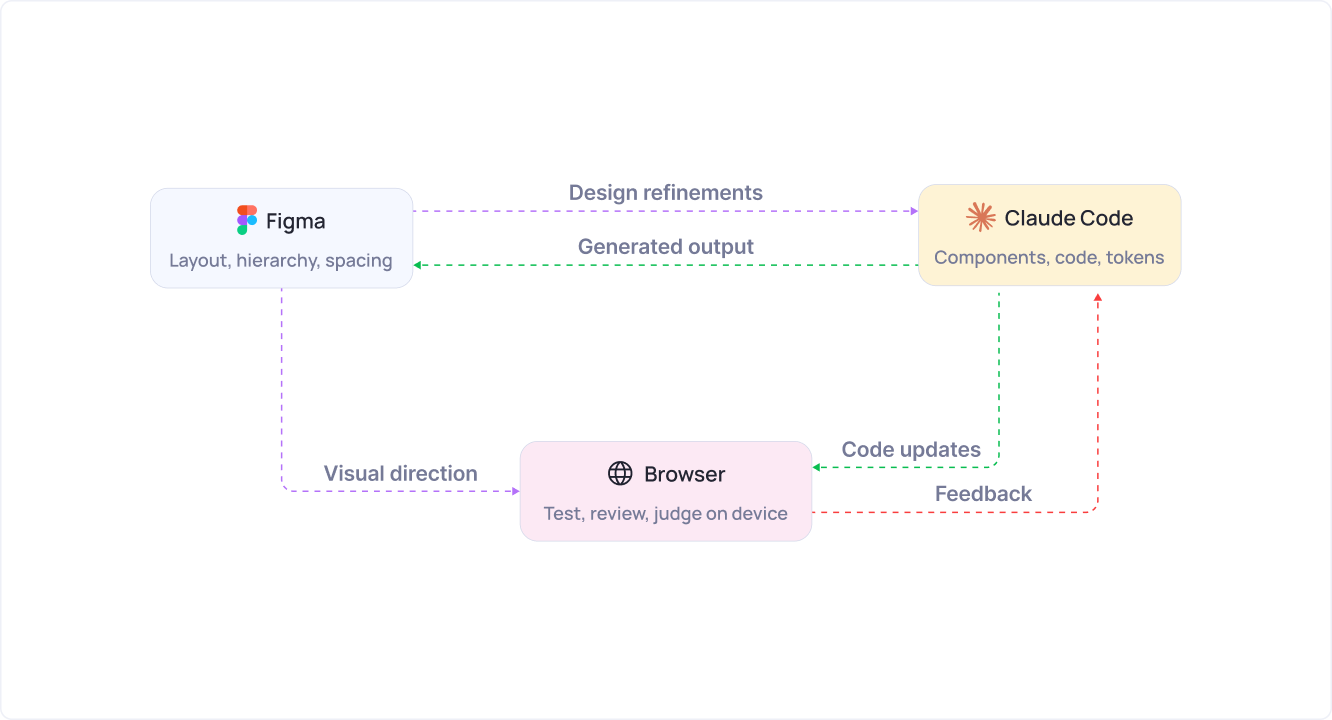
The process stopped being linear. Some decisions happened in Figma, some in the browser, some in conversation with Claude. I moved between all three depending on what the decision required.
Replacing the CMS
Webflow wasn’t just hosting our pages. It powered our blog, resource content, and SEO pages, all through its built-in CMS.
Moving to code meant building those workflows from scratch. For the blog, I set up a markdown-based system that generates pages automatically. For our KPI glossary, I built a CSV-driven pipeline that produces over 148 individual pages from structured data.
Both systems ended up simpler than I expected. Content became data files that the build process transformed into pages. Easier to version control, easier to maintain, and far more flexible than managing everything through a visual CMS.
Responsive Design Still Needs a Human Eye
If there was one area where AI consistently fell short, it was responsive design.
Desktop layouts came out strong. Mobile is where things fell apart. Spacing would be off, content hierarchy would collapse, card layouts would get awkward on smaller screens.
None of it was hard to fix. But every page still required manual review across breakpoints and every interaction needed testing on real devices. AI got me to a working draft much faster, but the judgment calls on mobile still had to be mine.
What’s Different Now
The main gain from the migration was control. The site lives in GitHub. Components are reusable across pages. New sections don’t require working around a visual builder’s constraints.
Building new pages is noticeably faster because the foundational system already exists. The site feels like something that can evolve continuously rather than something that needs to be rebuilt every time requirements change.
Looking Back
A year ago, I wouldn’t have considered migrating from Webflow to code. The gap between what I could do in a visual builder and what I could do in a code editor was too wide.
AI closed that gap. Webflow didn’t get worse. Our options got better. Once building in code became accessible enough for a designer to do it productively, the tradeoffs that originally justified Webflow stopped applying.